
For art directors
Art Direction
Project management for art directors, made for the way a direction actually develops. References sit in one folder, the palette in another file, the concept deck somewhere else, comments by email. Formta keeps the brand assets, the moodboards, the palette, the concepts and the client sign-off on one project, in the order the direction came about.
Create more. Manage less.
References From Everywhere On One Moodboard
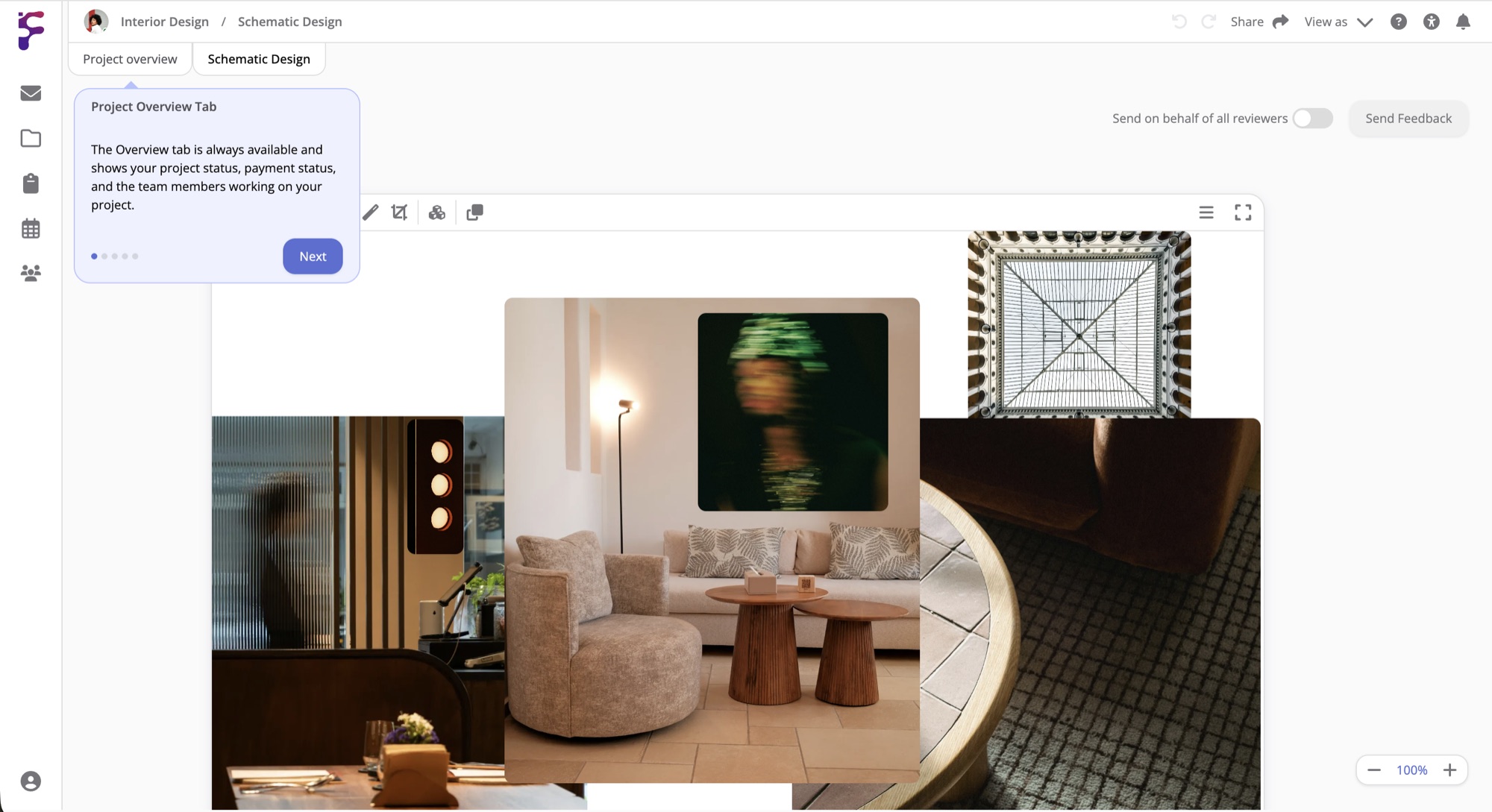
Drag pictures, video and files onto a Moodboard, or add artwork from seven museum collections and photos from Pexels without leaving Formta. Crop a picture to the part you need, and let Auto Arrange lay everything out as a grid, a masonry, a circle or a collage. Set the canvas to a print size, a billboard, a screen or a social media post, so the moodboard is the size the work will be.
The Colours Come From The References
Connect a Colour Palette to the Moodboard and it takes its colours from your references. From one colour, a harmony like complementary, analogous or triadic gives you a set that goes with it. Select a printer's colour profile to see which colours it can't reproduce, and put the main brand colour in a Colour Chart with its HEX, RGB and HSL values.
A Page For Each Direction
Give each direction its own page with its moodboard, palette and notes, so the thinking behind each one stays with it. A Storyboard shows a campaign film frame by frame, and a Photo Selection lets your client pick their favourites from the shoot. Start from the Art direction template to have the pages set up for you.
Every Round Kept As It Was Sent
Hover Share and select Send to client. Your client creates a free Formta account, or signs in, and sees the page exactly as it looked when you sent it. They comment, approve the moodboard or the palette they're happy with and click Send Feedback, and you see what they've commented on highlighted on the page. Send the page again for the next round. Personal includes 3 client revisions per project, Studio 5 and Pro has no limit.
Done Having Your Team Communication And Files
In 15 Different Places?
Start with a 30-day free trial. Full Pro access, no credit card. Bring your team when you're ready.
Start free trial